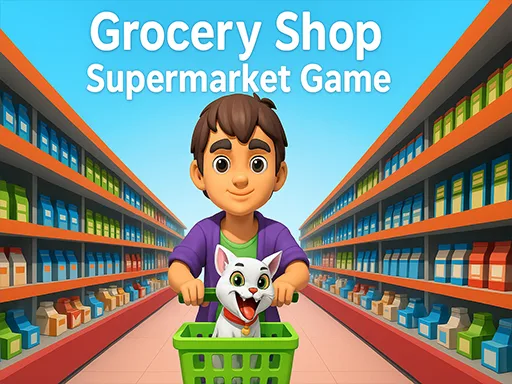
Grocery Shop: Supermarket Game focuses on the everyday work of running a supermarket. The GD page describes stocking shelves, serving customers, managing inventory, expanding the store, organizing products, pricing competitively, and handling customer rushes. That makes the game a practical retail page. The challenge is not only earning money; it is keeping products available and customers moving. Players enjoy supermarket games because the problems are easy to see. An empty shelf needs restocking. A waiting customer needs service. A better product or upgrade can make the shop more profitable. It is a clean option for players who want shop management without a complicated map.
Grocery Shop: Supermarket Game is a straightforward retail simulator focused on inventory and customer service. Watch how the first cycle works, notice where progress slows, and spend with a clear purpose.
How to play
How to play Grocery Shop: Supermarket Game
The opening minutes of Grocery Shop: Supermarket Game are about reading the business before rushing into expansion. Follow the first few earning cycles and keep your attention on the slowest part of the operation.
Stock shelves with available products.
Serve customers and collect money from store operations.
Upgrade products, equipment, and supermarket space.
Key features
What makes Grocery Shop: Supermarket Game work
Inventory and shelf stocking keep the retail loop grounded.
Customer rushes add pressure without turning the game into a pure timer challenge.
Pricing and expansion make the grocery store feel like a real business.
Strategy tips
Upgrade logic and smart growth
First minute tip: Keep the first shelves full and serve customers fast; inventory gaps are the earliest profit leak.
Stock the products that sell fastest before expanding the store.
Serve customers quickly during rush moments so waiting does not reduce the value of stocked shelves.
Use upgrades that improve inventory flow before buying extra product lines.
Empty shelves should be fixed immediately.
Customer rushes reveal where service is too slow.
Expansion works best after inventory is stable.
Controls
Controls and device notes
Tap or click to stock shelves, serve customers, manage products, and buy supermarket upgrades.
Use fullscreen for longer sessions. If the embedded game does not respond on mobile, try desktop mode or another game from the same category.
Why play here
Why play Grocery Shop: Supermarket Game on TycoonsGame?
Grocery Shop adds a focused supermarket page to TycoonsGame, helping the shop category cover inventory, checkout, and expansion from a simple angle.
FAQ
Grocery Shop: Supermarket Game questions
What do you manage in Grocery Shop: Supermarket Game?
You manage shelves, inventory, customer service, pricing, upgrades, and store expansion.
Why is inventory important?
Inventory keeps shelves full. Empty shelves mean customers cannot buy products and the store loses momentum.
What is the best first move?
Stock the first shelves and serve customers quickly before expanding the supermarket.
Is this a complicated supermarket simulator?
No. It is a lighter browser supermarket game focused on clear retail tasks.
Who should play Grocery Shop?
Players who enjoy stocking, checkout flow, and straightforward store upgrades should try it.