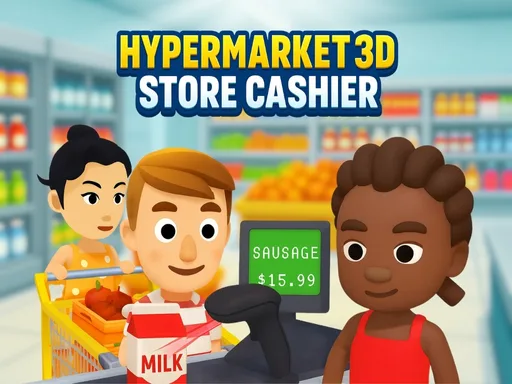
Hypermarket 3D: Store Cashier is a retail task game where the player handles several jobs inside a busy store. The GD page describes scanning groceries, running the cash register, stocking shelves, cleaning floors, organizing products, helping customers, and unlocking new items. That makes it more varied than a standard idle market game. Players like it because the store feels physical. You scan, drag, move, restock, and clean instead of only watching income rise. The fun is in switching between small retail duties and keeping the hypermarket under control. As new items unlock, the store feels busier and the player's routine becomes more important.
Hypermarket 3D stands out because the player performs many store jobs directly instead of only buying upgrades. Watch how the first cycle works, notice where progress slows, and spend with a clear purpose.
How to play
How to play Hypermarket 3D: Store Cashier
The opening minutes of Hypermarket 3D: Store Cashier are about reading the business before rushing into expansion. Follow the first few earning cycles and keep your attention on the slowest part of the operation.
Scan customer groceries and complete checkout tasks.
Clean, organize, and restock the store as needed.
Unlock new items and handle a busier hypermarket routine.
Key features
What makes Hypermarket 3D: Store Cashier work
Cashier scanning gives the store a hands-on checkout mechanic.
Cleaning and shelf organization add variety beyond sales.
Unlocking items makes the hypermarket feel increasingly active.
Strategy tips
Upgrade logic and smart growth
First minute tip: Master scanning and shelf organization first; the hypermarket feels easier once the basic customer routine is clean.
Keep checkout scanning smooth because waiting customers quickly make the store feel crowded.
Organize shelves before adding too many new items.
Use cleaning and restocking tasks to prevent the store from becoming chaotic during busy moments.
Checkout speed is the first pressure point.
Organized shelves make later tasks easier.
New products are best when the store routine is already stable.
Controls
Controls and device notes
Tap and hold to scan products, drag to clean or organize, and move around to help customers and restock shelves.
Use fullscreen for longer sessions. If the embedded game does not respond on mobile, try desktop mode or another game from the same category.
Why play here
Why play Hypermarket 3D: Store Cashier on TycoonsGame?
Hypermarket 3D gives TycoonsGame a task-based retail page, complementing idle supermarket games with more direct store work.
FAQ
Hypermarket 3D: Store Cashier questions
What jobs do you perform in Hypermarket 3D?
You scan groceries, clean floors, organize shelves, restock products, help customers, and unlock new store items.
Is Hypermarket 3D mainly a cashier game?
Cashier scanning is important, but the game also includes cleaning, stocking, and customer help.
How do the controls work?
The GD instructions mention tap-and-hold scanning, dragging to clean or organize, and movement for helping customers.
What should Hypermarket 3D focus on first?
Learn the checkout and stocking routine before unlocking too many new products.
Who will enjoy Hypermarket 3D?
Players who like hands-on store tasks and 3D retail routines will enjoy it.